
Favicon Generator
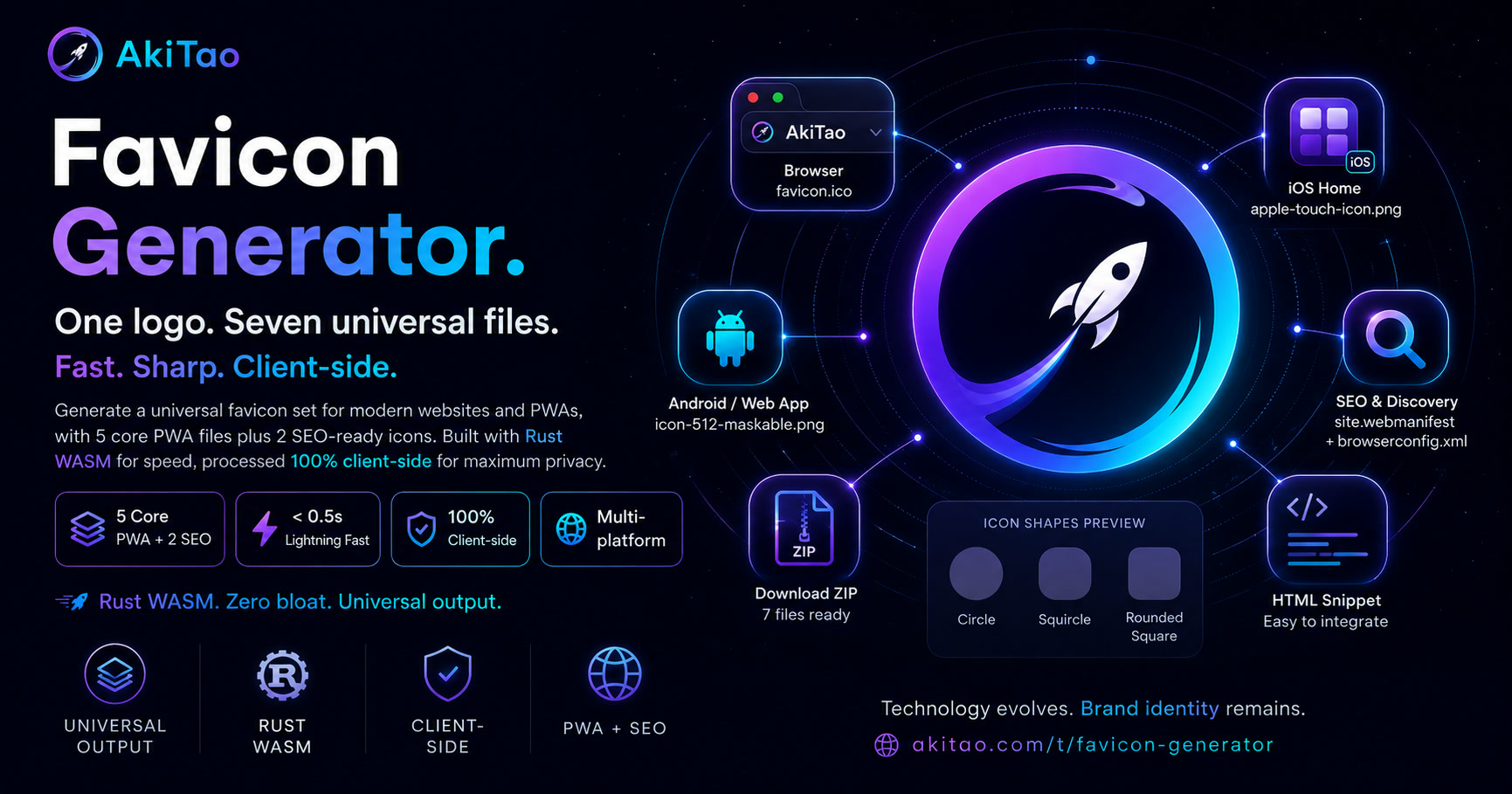
Standardize your digital brand from the first pixel: one image in, 7 minimal files out, maximum compatibility across every device. Years of real-world experience distilled.
Configuration
Upload Image
Download
100% client-side processing. No files uploaded to server.
View architecture details
Preview
icon-512-maskable.pngapple-touch-icon.pngfavicon.icoHTML Snippet
Quick Integration Guide
- Extract the downloaded favicon.zip file.
- Copy the entire favicon/ folder into the public root of your website.
- Copy the favicon.ico file from the favicon/ folder directly into the public root to ensure legacy browsers find it.
- Important: If your website already has a manifest.json file, merge the contents (icons, theme_color...) instead of overwriting it to prevent losing complex PWA settings.
- Copy the HTML Snippet and paste it into the <head> tag of all your pages.
Why your website absolutely needs standard Favicon & PWA?
Clear differences between an optimized website and an unprepared one.
Without Standard Favicon / PWA
- •Browser tab shows a blank/globe icon, looking unprofessional.
- •Black margins/corners appear on iOS home screen Web Clips.
- •Icons display shrunk, cropped, or double-masked on Android devices.
- •Cannot be installed as a standalone app on mobile home screens.
Optimized with AkiTao Generator
- •Instant brand recognition with crisp icons on all browsers.
- •Smooth iOS rounded edges with solid backgrounds, eliminating black borders.
- •Adaptive Android icons fitting circle, squircle, and rounded shapes perfectly.
- •Enables "Add to Home Screen" prompt, running fullscreen like a native app.
AkiTao Favicon Generator handles all of these automatically and exports a ready-to-use bundle with a single click.
Why AkiTao Stands Out
Compare our optimized Rust WebAssembly solution with generic favicon generators on the market.
| Standard | AkiTao Favicon Tool | Generic Tools |
|---|---|---|
| Data Privacy | 100% Client-side. No image uploads, runs entirely in browser RAM. | Uploads images to server. Risk of leaking internal company logos. |
| Icon Clarity | Lanczos3 interpolation in Rust WASM. Sharp details even at 16×16 resolution. | Browser-native canvas resize. Results in blurry and fuzzy edges. |
| Mobile Adherence | Fits logo in 80% safe zone and fills background. Prevents iOS black-fill bug. | Exports transparent borders. Causes black corner bugs on iOS. |
| Code Cleanliness | Exactly 7 modern files (5 Core + 2 SEO). Zero-bloat. Keeps codebase lightweight. | Generates 30+ legacy file formats. Clutters project directories. |
| User Experience | No advertisements, no sign-ups, no tracking. Instant utility. | Ad-heavy pages, email gatekeeping for download links. |
Architecture & Philosophy
Learn the engineering philosophies and performance designs behind the generator.
"The biggest pain point for developers is fragmentation and icon rendering bugs across countless operating systems. After years of deep research into PWA and UI/UX, I established the core principle: Minimal files - Maximum compatibility. This tool was created to completely solve that problem with just 5 universal files."
1. The Universal Philosophy: 5 Core + 2 SEO files
| Artifact | Role | Why |
|---|---|---|
favicon.icoSource-faithful | Browser tab + bookmarks | Source-faithful — transparent canvas, rounded-square normalized, multi-res ICO. |
icon-48.pngSource-faithful | SEO & Discovery (SERP/RSS) | Source-faithful — original transparency preserved. |
icon-96.pngSource-faithful | SEO & Discovery (Retina/Footer) | Source-faithful — original transparency preserved. |
icon-192.pngSource-faithful | PWA fallback icon | Source-faithful — broadly compatible for PWA manifest. |
icon-512-maskable.pngForce-filled | Android adaptive icon + splash | Force-filled — purpose: "maskable" opaque bg, 80% safe zone. |
apple-touch-icon.pngForce-filled | iOS home screen icon | Force-filled — edge-to-edge opaque bg avoids iOS black-fill on transparent images. |
manifest.json | PWA metadata | Declares theme_color, background_color, icon purposes. |
2. Zero-Bloat Philosophy
- SVG auto-tracing — Heavy vector deps, inflates bundle.
- Monochrome badge — Not required for core favicon workflows.
- Dark-mode icon variants — Needs separate source assets.
- Open Graph image — Different domain — social sharing, not favicon.
- Windows legacy tiles — Low modern value, out of MVP scope.
3. Automated Flow
- Decode input image bytes (PNG/JPEG) in WASM.
- Auto-detect theme/background colors from pixel histogram.
- Apply safe-zone fitting and solid/gradient background where required.
- Generate multi-size outputs with Lanczos3 quality inside WASM.
- Assemble ZIP in JS using fflate with manifest + HTML snippet.
Decoding, safe-zone padding, and resizing run directly in browser RAM.
4. Rust WebAssembly
- Rust WASM handles pixel math and image encoding where JS would be slower.
- ZIP assembly and manifest generation stay in JS to avoid WASM bloat (no serde_json in WASM bundle).
- Rust image crate enables only PNG + JPEG features to minimize size.
- Release flags: opt-level=z, LTO, strip, wasm-opt post-pass.
- Main-thread execution is practical and smooth for typical input sizes (< 5 MB).
5. Launcher Masks
Do not pre-clip icons. Mobile launchers mask dynamically. Pre-clipping causes double-masking and white borders.
6. iOS Black-Fill Bug
iOS does not read PWA manifests for Web Clips. Transparent margins will be filled with black. Icons must be fully opaque.
Changelog
- 2026.06.22 — Upgraded to 7-file architecture (5 Core PWA + 2 SEO). Added 3D Gradient light reflection toggle.
- 2026.06.21 — Initial release using WebAssembly (Rust) and Lanczos3 interpolation for pixel-perfect clarity.